Payday lands on the 28th. Where is it by the 10th?
Clear Month is a budget spreadsheet for Excel and Google Sheets. Type your bills in once, log what you spend, and see the answer on one page. It also lays out a card balance as a month-by-month plan.
- Excel and Google Sheets
- UK and Irish bills built in
- 30-day money-back guarantee
VAT included. One payment, no subscription.
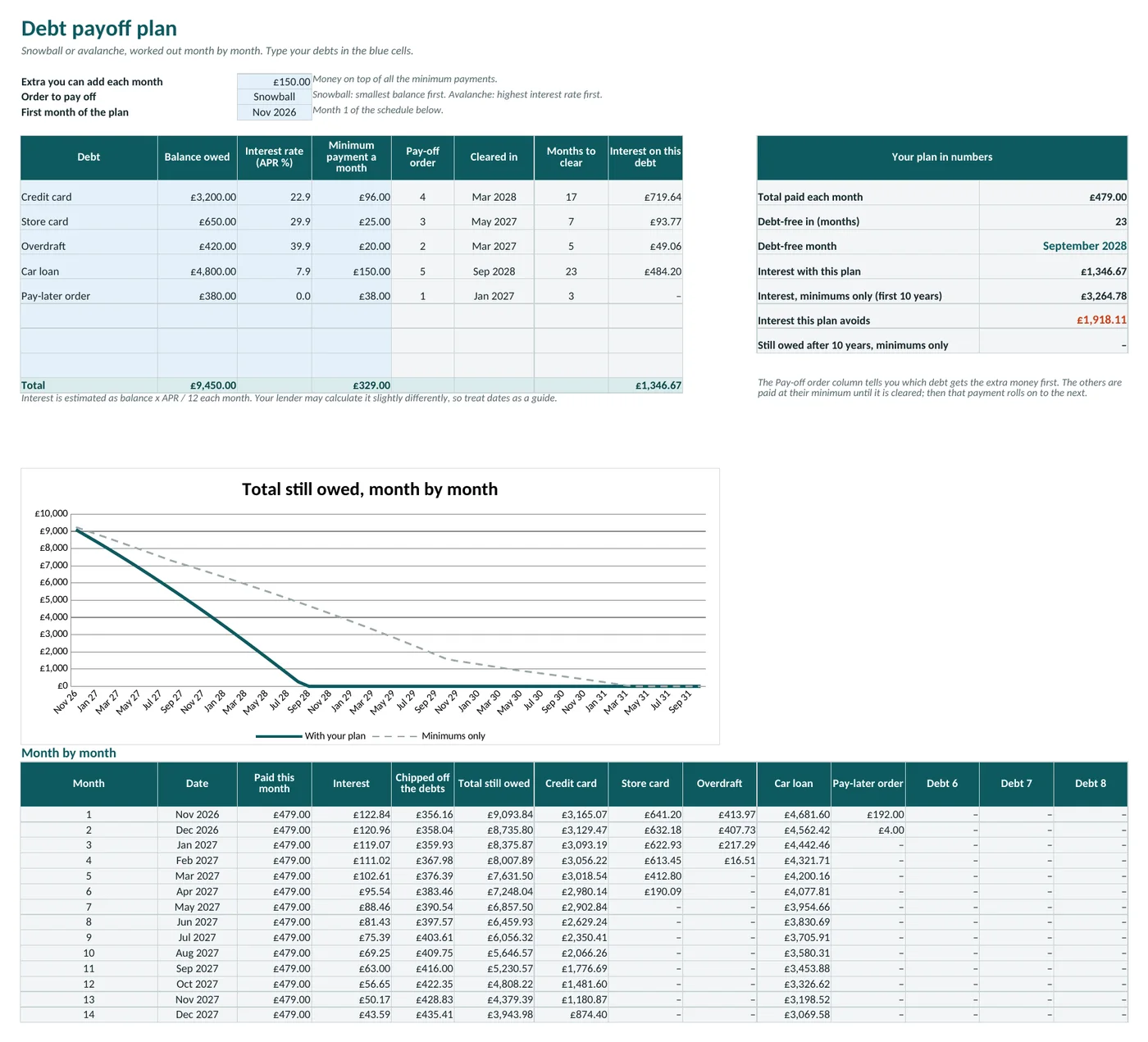
Five debts, one plan. Example numbers.
Does any of this sound like your month?
- You look at your balance on the 15th and the money has simply gone.
- Rent, energy, broadband and insurance all leave on different days, so you never see the month as one picture.
- There is a card balance, and you only half know what it costs each month.
- You tried a notebook, an app, a free template. Each lasted about two weeks.
Most of the time the numbers simply live in six different places. Clear Month puts them in one file you control, with nothing to sign up for.
The one date most budgets never show you
Every budget tells you what you spent. Very few tell you the month a card balance reaches zero.
Clear Month does. Type each balance, its interest rate and its minimum payment. The sheet works out the rest, month by month, and shows how that date moves when you change the order you pay things off, or add a little more.
The order matters more than most people expect. The Quick start explains both ways to choose it.
- 23 monthsto clear all five debts in the example
- £3,265interest if only minimums are paid
- £1,347interest with £150 extra a month
Example household of five debts totalling £9,450, in the file. Your balances, rates and dates will be different, and interest is an estimate.
Six tabs. Everything in one file.
These are real screenshots of the file, filled with the example household that comes inside it.
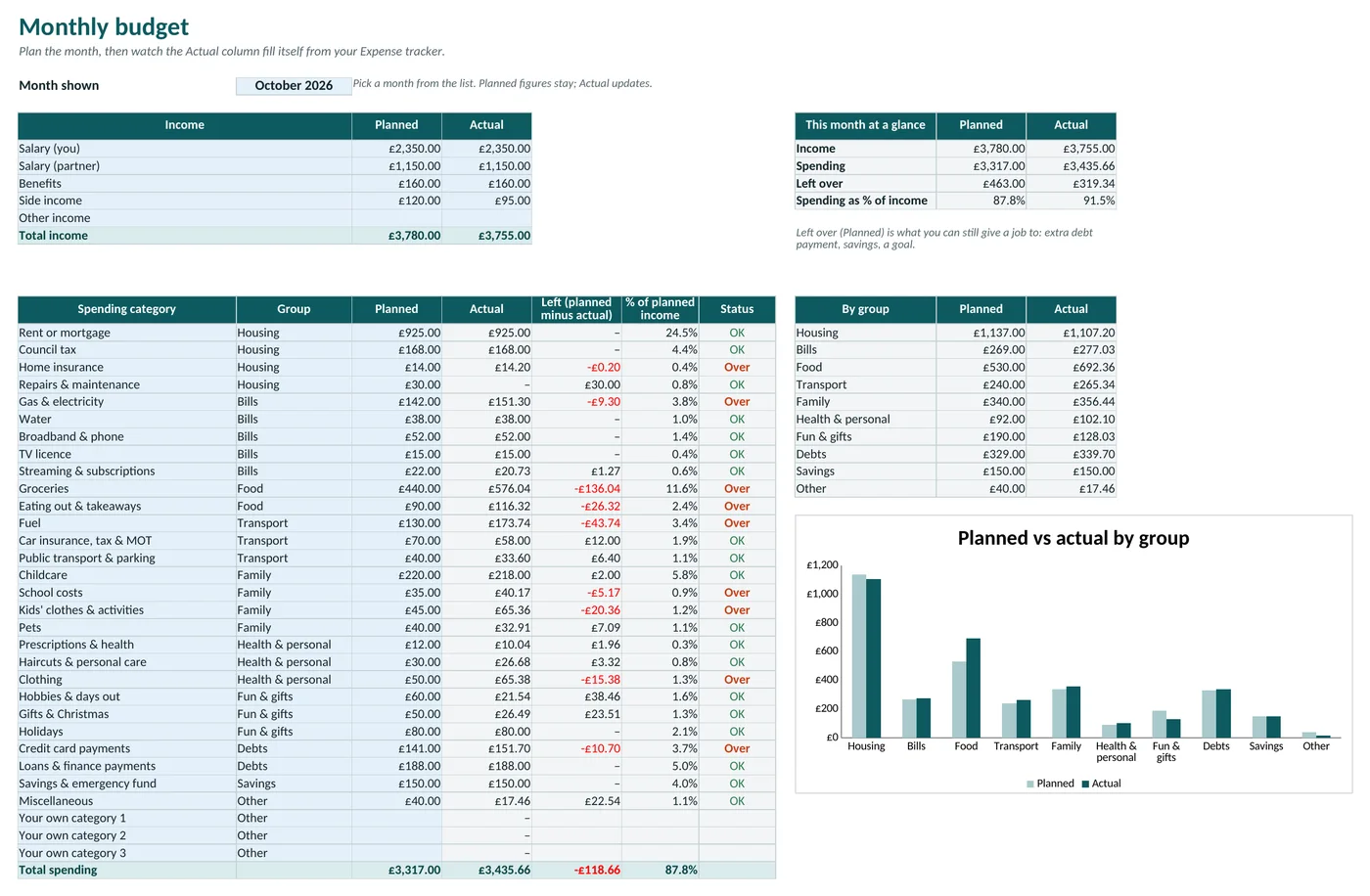
Monthly budget
Planned against actual for 28 categories, with rent or mortgage, council tax, energy, water, TV licence, childcare and the rest already listed.
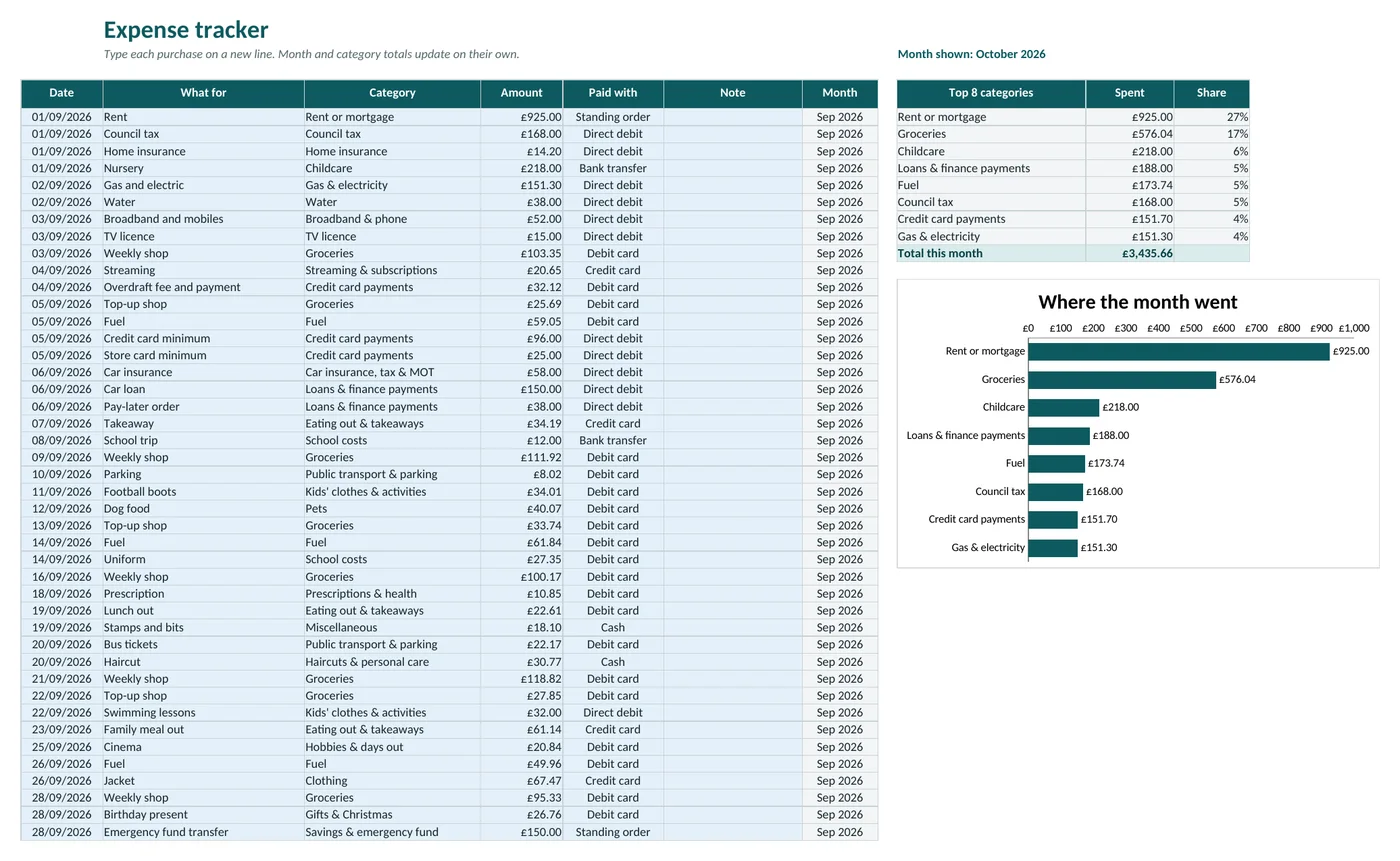
Expense tracker
One line per purchase. Pick the category from a list and the budget and the chart update by themselves.
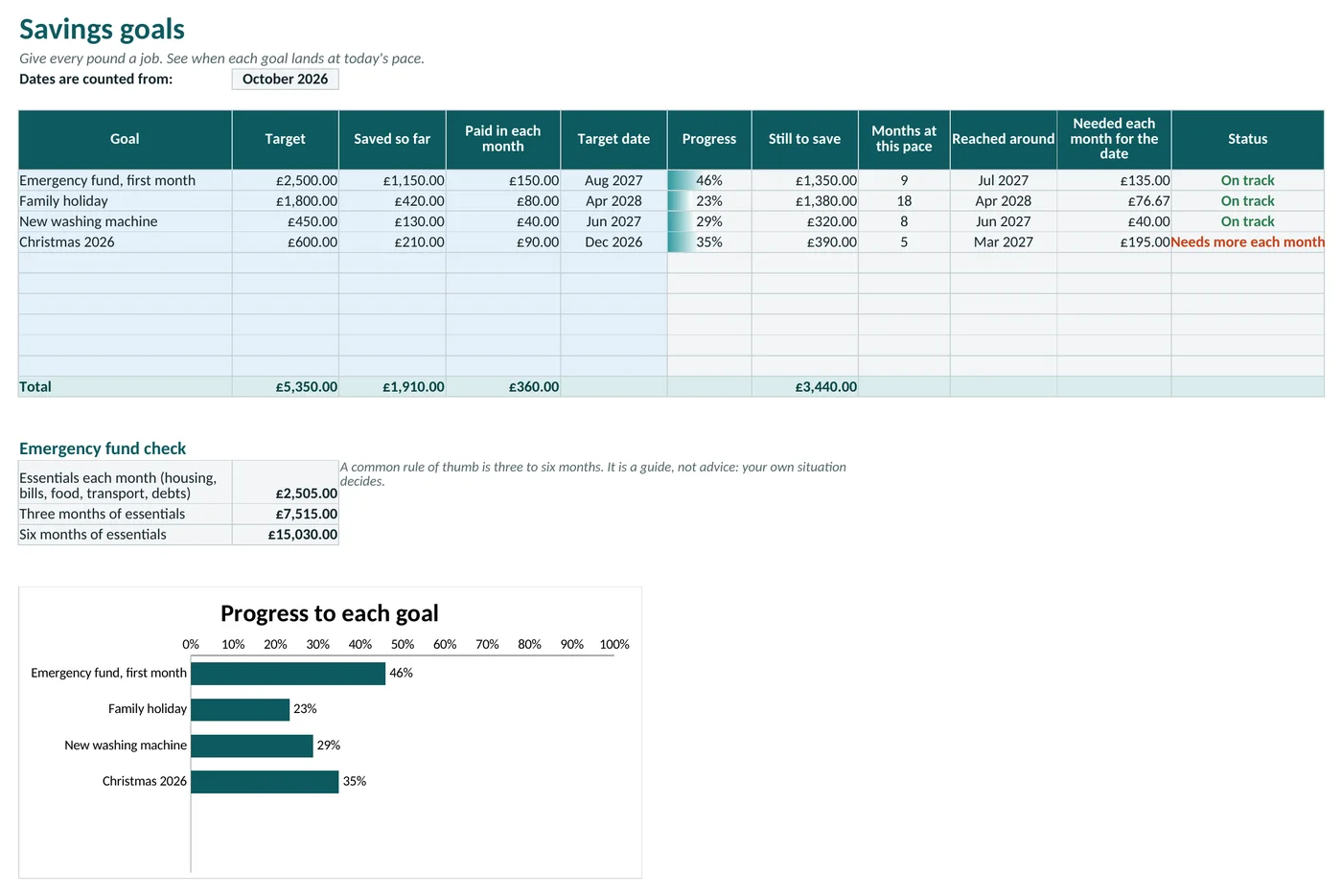
Savings goals
Target, saved so far, how much to add each month, and the month each goal lands at today's pace.
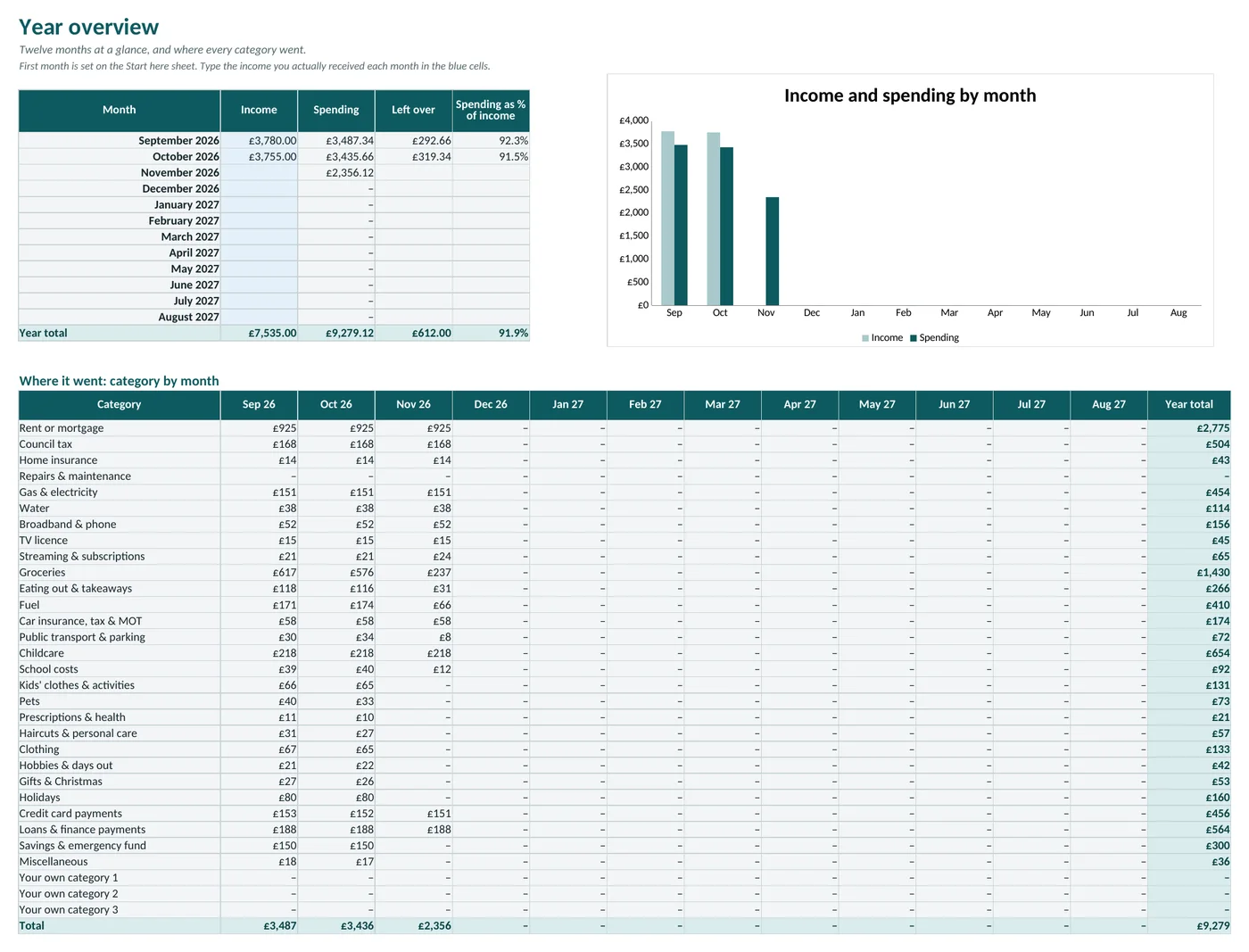
Year overview
Twelve months side by side, and where every category went. This is the page that answers the question on the 10th.
Log it in the time it takes to boil the kettle
Date, what for, category, amount. That is a line. The month's picture builds itself.
- Type your bills once. Ten minutes with a recent bank statement.
- Add purchases as they happen. Twice a week is plenty.
- Open the Debt tab. Read the date, change one number, read it again.
Expense tracker, October
Example data from the file.
One payment. The file is yours to keep.
No subscription, no account, no bank connection. Your numbers stay on your device.
- Clear Month Budget Planner, as an Excel file in pounds and another in euros
- The same file opens in Google Sheets, with a step-by-step guide
- A 4-page Quick start PDF
- An example household inside, to delete in two minutes
Questions people ask
Does it work in Google Sheets?
Yes. Upload the Excel file to Google Sheets and every formula, drop-down and chart comes with it. The Quick start walks you through it in four clicks.
Does it connect to my bank?
No. You type your own numbers, which is why nothing about your accounts ever leaves your device. I never see them.
Is this financial advice?
No. Clear Month is an organising tool. It does not give financial, tax or debt advice and does not promise any result. Interest is an estimate, so check dates against your lender's statements.
Which versions of Excel work?
Excel 2016 or newer, Excel for Mac and Excel for the web.
Pounds or euros?
You get both files. They are identical apart from the currency symbol.
What if it is not for me?
Email me within 30 days and I refund the full price.
See your month on one page
Ten minutes to set up. From then on, a line or two a few times a week.
Get Clear Month for £9.90VAT included. 30-day money-back guarantee.